Customer Event
The customer event fires every time a customer record is created or updated in myKaarma. The payload mirrors the response from the myKaarma Customer API. Full field documentation for customerWithVehicles is also available here.
The customer object in this payload will include four read-only attribution fields, each a string or null — creatorUserUuid, updaterUserUuid, creatorServiceSubscriberUuid and updaterServiceSubscriberUuid — identifying the user and API consumer that created and last updated the customer.
All the new fields will be added to the customer object, alongside the existing customer attributes — for example payload.customerWithVehicles.customer.creatorUserUuid. No other part of the payload will change.
The createdBy and updatedBy fields will be enhanced to provide more granular source information and may then contain one of the following values:
KCUSTOMER_API, KAARMA_SERVICES, API_INTERNAL, API_EXTERNAL, DMS, DMS_CUSTOMER_PULL,
DMS_RO_PULL, DMS_FI_PULL, DMS_PARTS_PULL, DMS_APPOINTMENT_PULL, DMS_VEHICLE_PULL,
DMS_CUSTOMER_PUSH, OTHER
These values will also be returned for customers created or updated before this date.
What you need to change
- Make the required changes on your side to consume the four new fields if needed, or ensure your consumer supports unknown fields.
- Make the required changes to support the new possible values of
createdByandupdatedBy, or ensure your consumer supports unknown values.
Sample payload after the change
Use this to verify your consumer handles the new payload without breaking.
{
  "customerWithVehicles": {
    "customer": {
      "customerUuid": "Wq7nJhXtGpBmNd3KvRzYf2kAcEiLoU8sTPeCbHwOyM1",
      "customerKey": null,
      "firstName": "myKaarma",
      "middleName": "",
      "lastName": "Testing",
      "company": null,
      "isBusiness": false,
      "preferredLocale": "en-us",
      "preferredCommunication": "text",
      "emails": [
        {
          "emailAddress": "mykaarma.testing@gmail.com",
          "label": "home",
          "okToEmail": true,
          "isPreferred": true
        }
      ],
      "phoneNumbers": [
        {
          "phoneNumber": "+13108170196",
          "label": "cell",
          "okToCall": true,
          "okToText": true,
          "isPreferred": true
        }
      ],
      "availability": 1,
      "createdBy": "DMS_CUSTOMER_PULL",
      "updatedBy": "API_INTERNAL",
      "creatorUserUuid": null,
      "updaterUserUuid": "Km4TpXaQrLs7BvNc2WdYz9HgJfKeR3UoI6PqSxMtZ1A",
      "creatorServiceSubscriberUuid": "Zx9mKpLqWvNb4RtYu7IoAsDfGhJkL2ZxCvBnM5QwE8r",
      "updaterServiceSubscriberUuid": "Zx9mKpLqWvNb4RtYu7IoAsDfGhJkL2ZxCvBnM5QwE8r"
    },
    "vehicles": [
      {
        "vehicleUuid": "Pr5jFwQmZnBt8kXaHdV3uI0yDgCeLsR6NvOcTpKqY4f",
        "vehicleKey": null,
        "vin": "1GD312CG0BF081737",
        "vehicleMake": "GMC",
        "vehicleModel": "Sierra 3500HD",
        "vehicleYear": "2011",
        "vehicleTrim": "Work Truck Long Box 2WD",
        "vehicleEngine": "6.0L V8 OHV 16V FFV",
        "isValid": true
      }
    ]
  }
}
This example shows a customer created by a DMS pull and later updated through the API, so creatorUserUuid is null while updaterUserUuid is populated.
Important Notes
- Customer events are pushed via an indexer job that runs once per second.
- If a customer is updated multiple times within one second, you will receive a single event with the final state.
Field Reference
payloadTop-level payload for the customer event.
In the actual webhook delivery, payload is a stringified JSON string (not an object). The example above shows it as a parsed object for readability.
How to Test a Customer Event
Login to https://app.mykaarma.com using the user credentials provided to you.
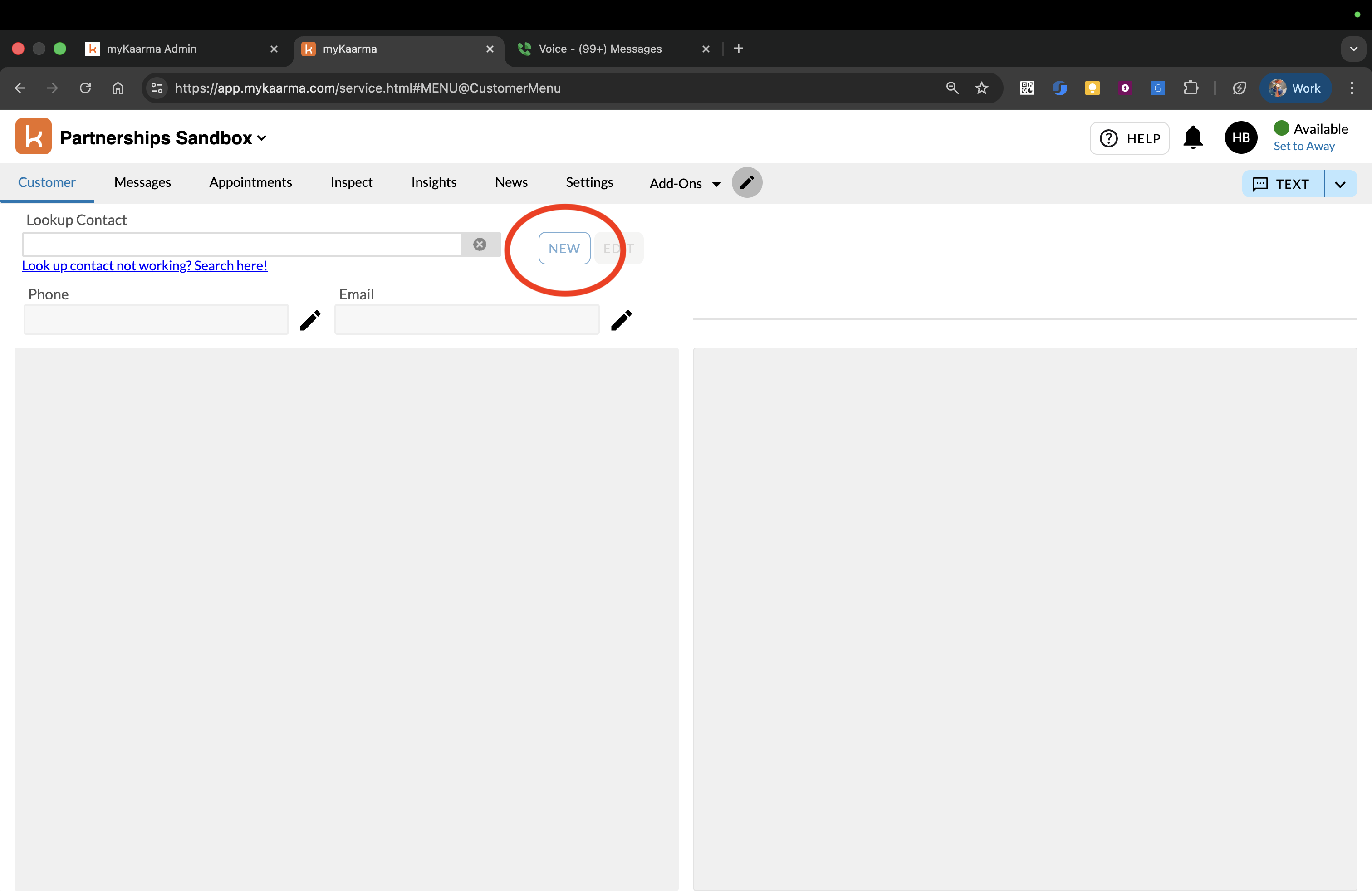
In the Customer tab, click on NEW button:
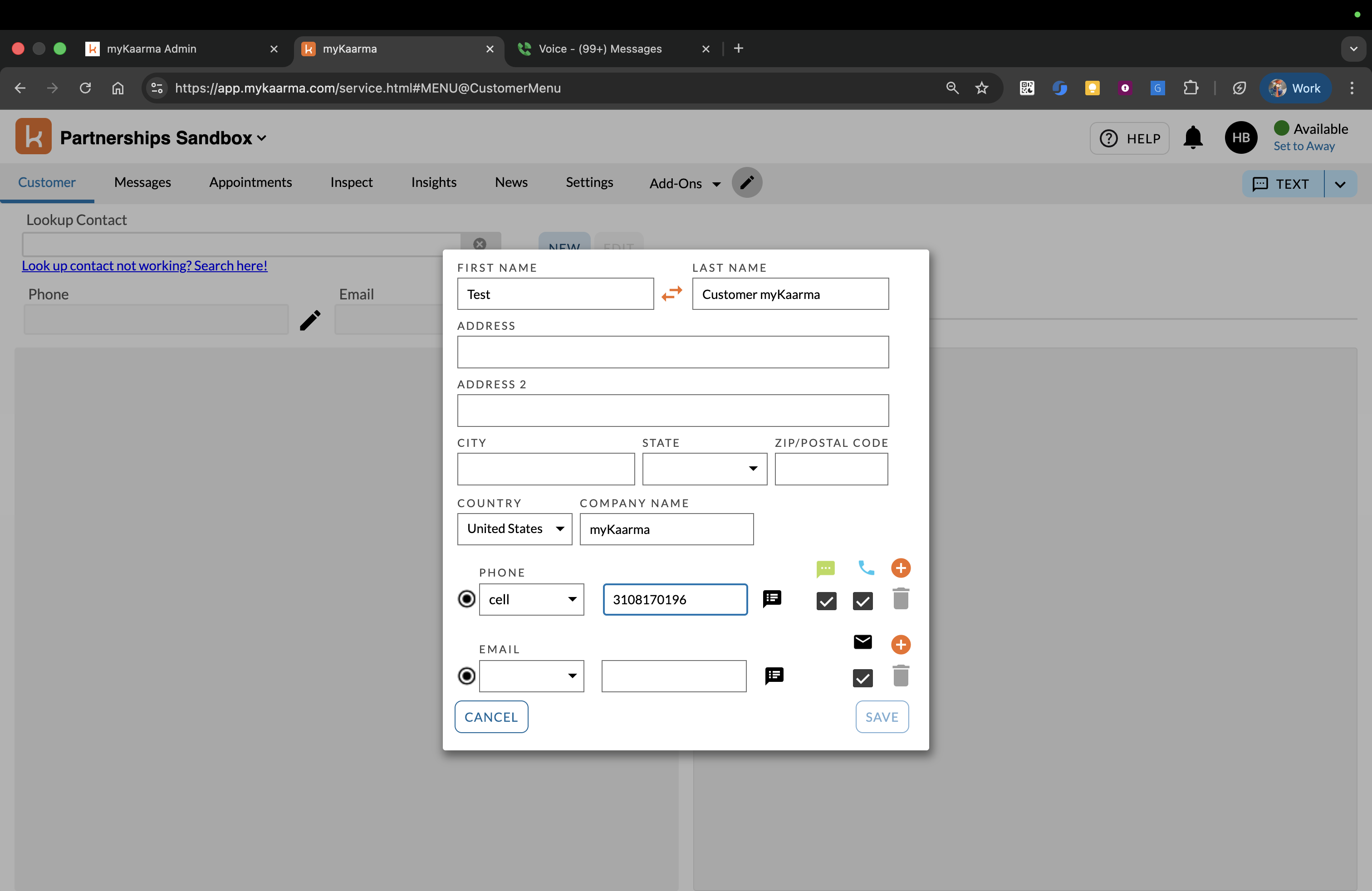
Fill in the fields in the Add Customer Dialog and click Save. You should receive an event on your webhook URL for this customer creation:
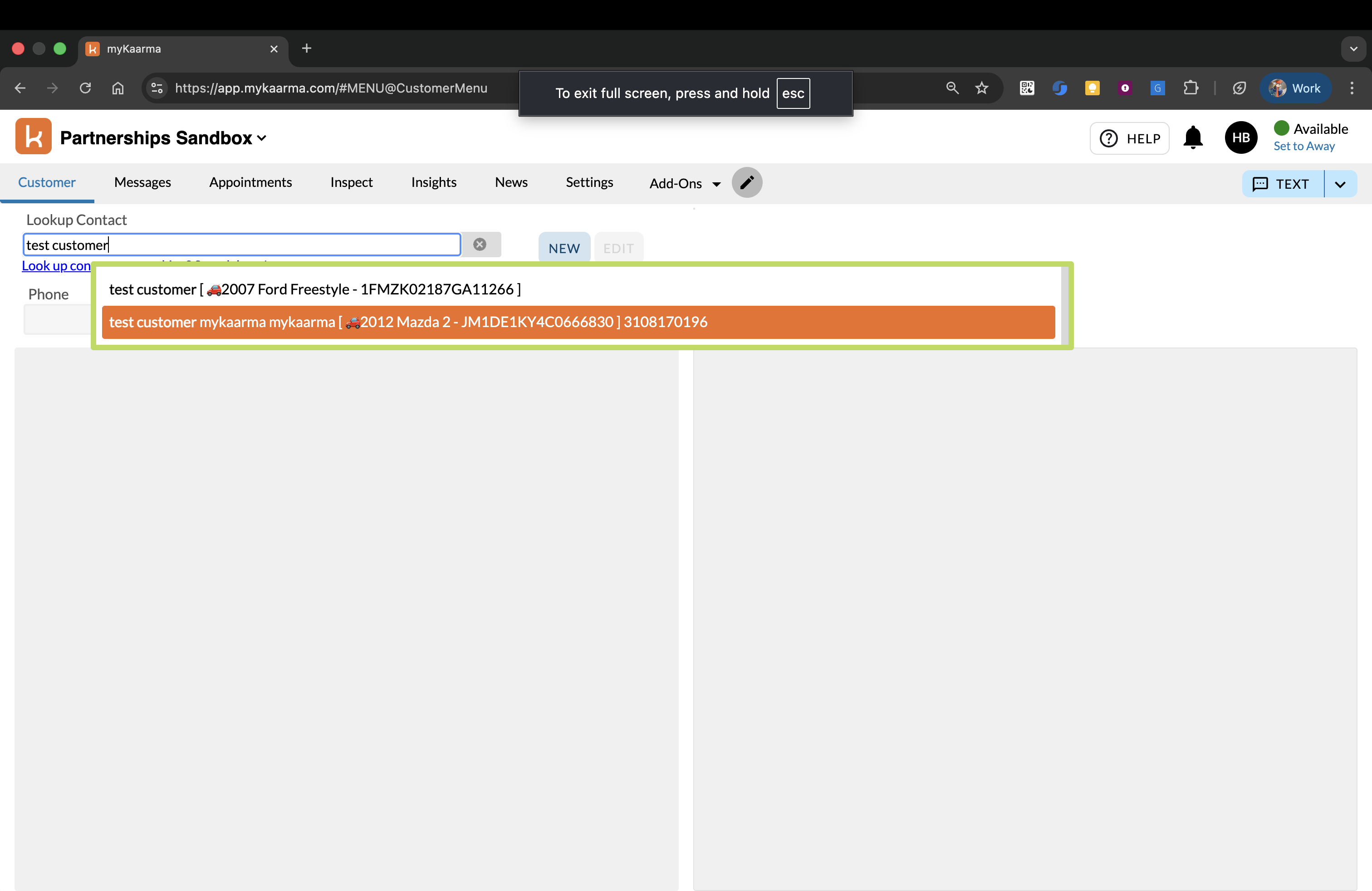
In the Customer tab, search for and select the customer you want to edit:
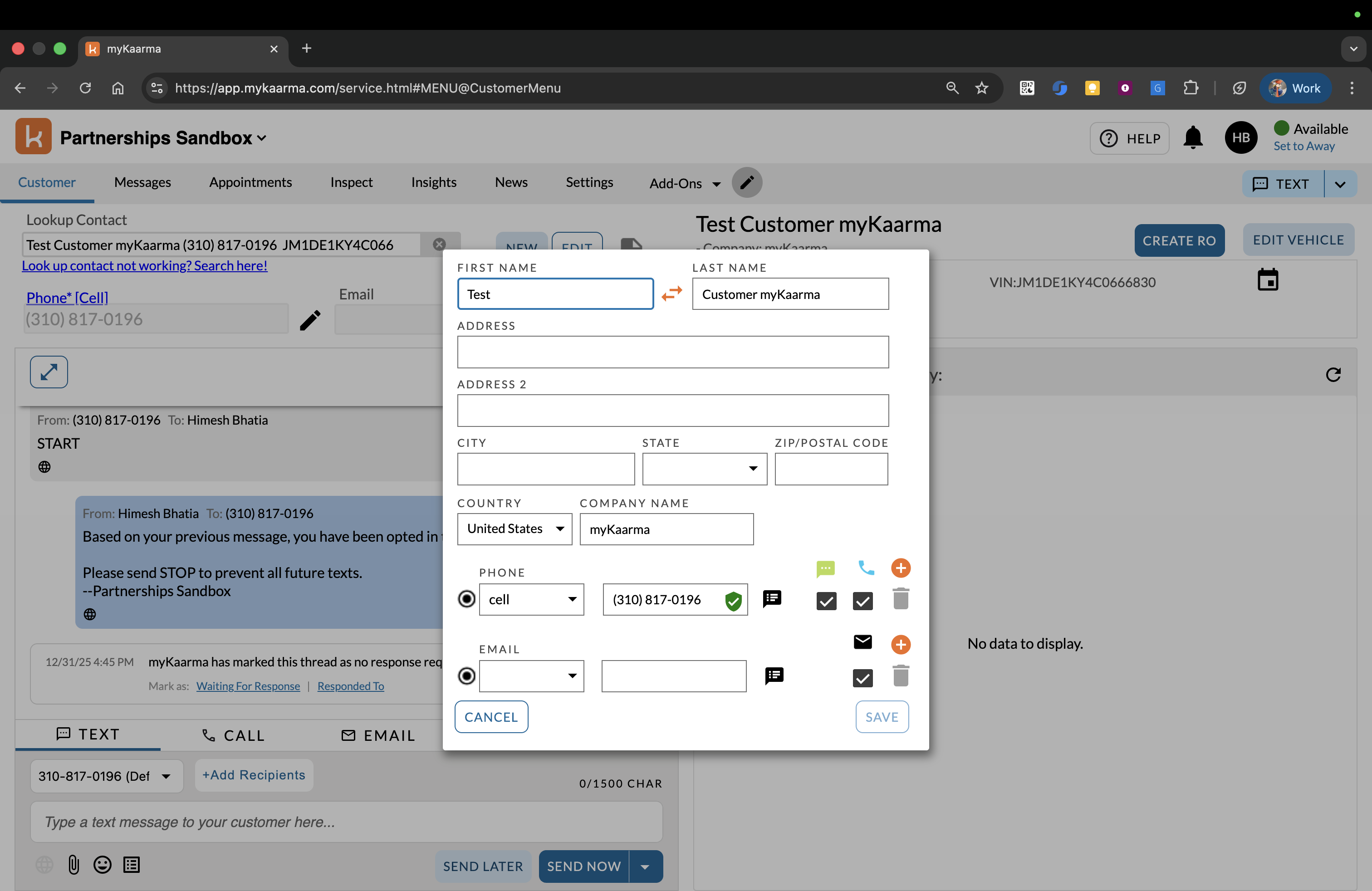
Click on the EDIT button:
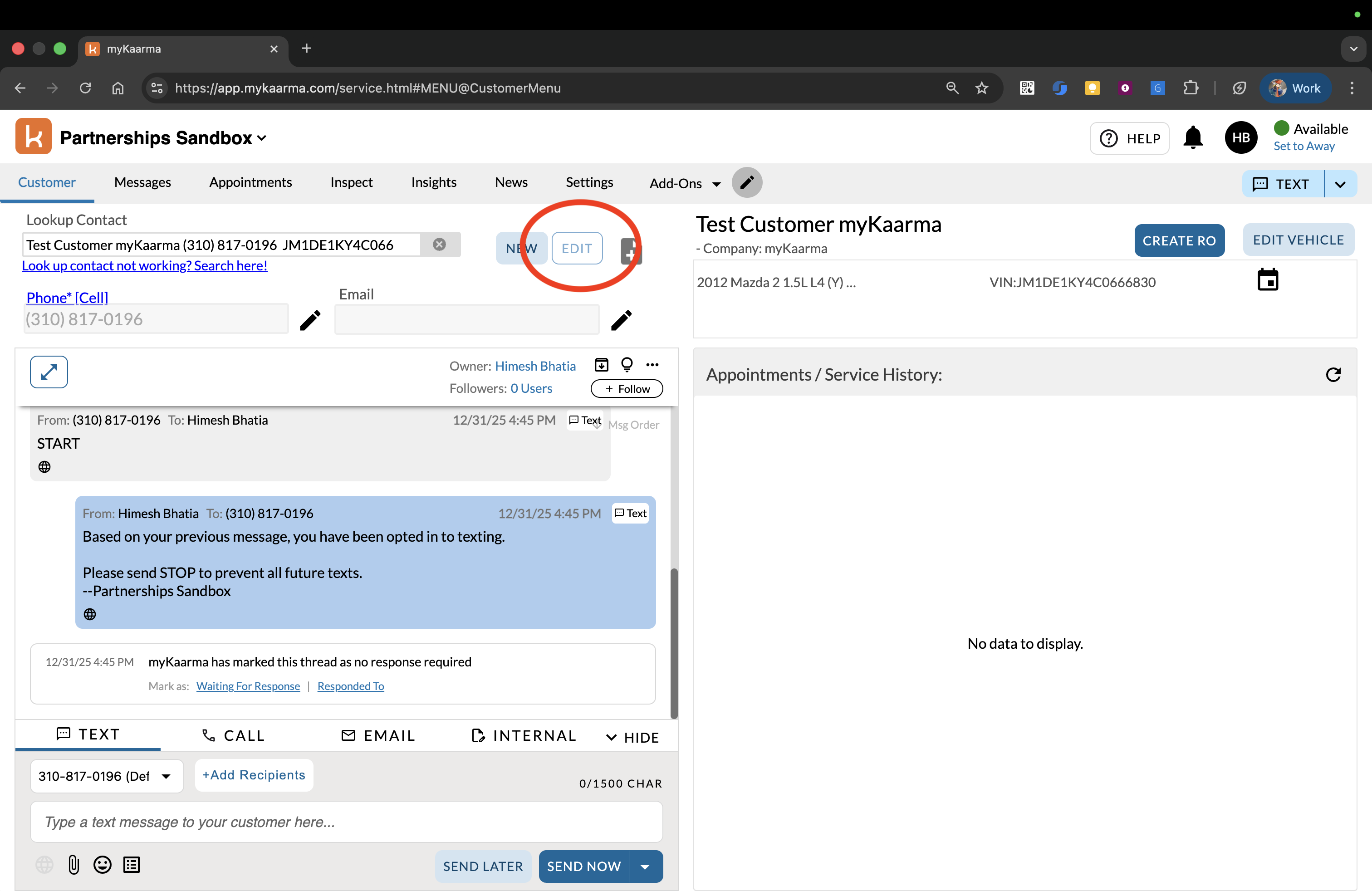
Fill in/update the fields in the Edit Customer Dialog and click Save. You should receive an event on your webhook URL for this customer update:
FAQ
Are customer events 1:1 in terms of customer updates?
Not always, the indexer job runs once per second, so multiple updates within one second produce a single event with the final state.